
Follow these steps to register as a new user of a Collaborative Tools group.
Registration Steps
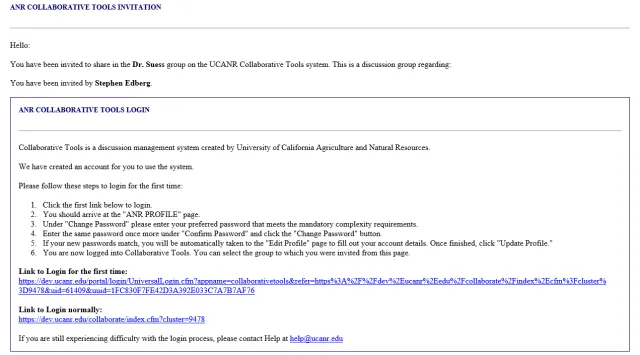
Look for an email from no-reply@ucanr.edu with the subject line "Invited to New Collaborative Tools Group."

In the email, click the Link to Login for the first time.
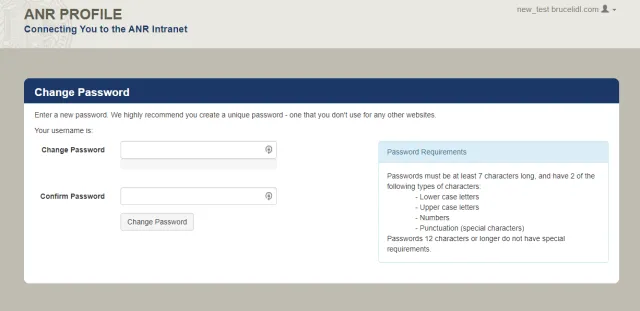
Follow the instructions to create a password that meets the requirements shown.
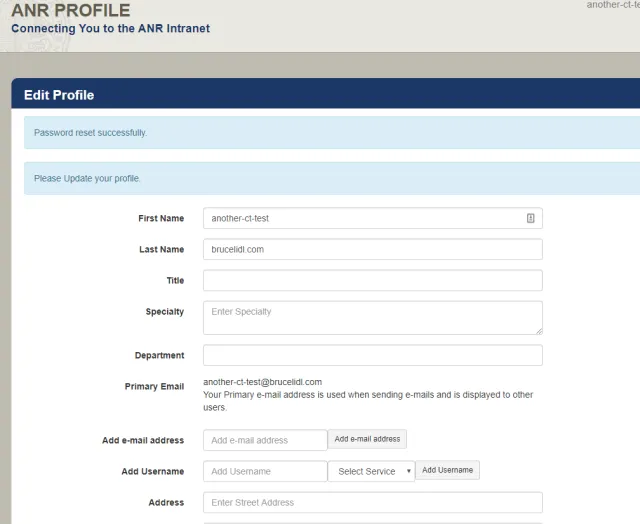
After successfully creating a password, you will be taken to your UC ANR account profile page.
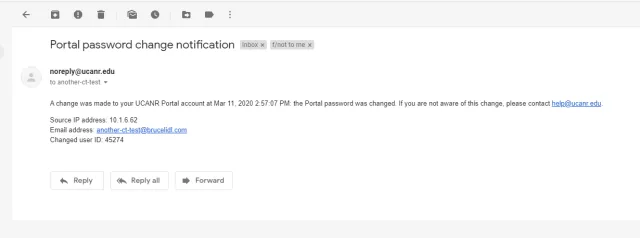
You will receive a confirmation email verifying your account and password have been created.
- Once your account is set up, you can access the Collaborative Tools groups you have been invited to.