
Visual Style Guide
Visual identity is the collection of design elements that make the UC Master Gardener Program instantly recognizable. This includes our logos, fonts, colors, and imagery. It's how we present ourselves visually across all materials, from social media posts to printed brochures. A strong visual identity ensures that whether someone sees our content online, at a community event, or in a newsletter, they immediately know it's from UC Master Gardeners.
The UC Master Gardener Program is part of the UC ANR family of brands, connecting us to the trusted University of California system. This visual alignment strengthens recognition and builds credibility with the public we serve.
Why Consistency Matters
Consistent use of fonts and colors helps build brand recognition. Even when our logo isn't visible, these elements signal to users that they're accessing trusted UC Master Gardener resources.
Logos
The official statewide logo for the UC Master Gardener Program is the key building block of the program’s identity and the primary visual element that communicates who we are and what we do. The logo should never be color-enhanced, outlined, or altered in any way. Visit the marketing logo page to learn more about logo usage and where to download it.

Fonts
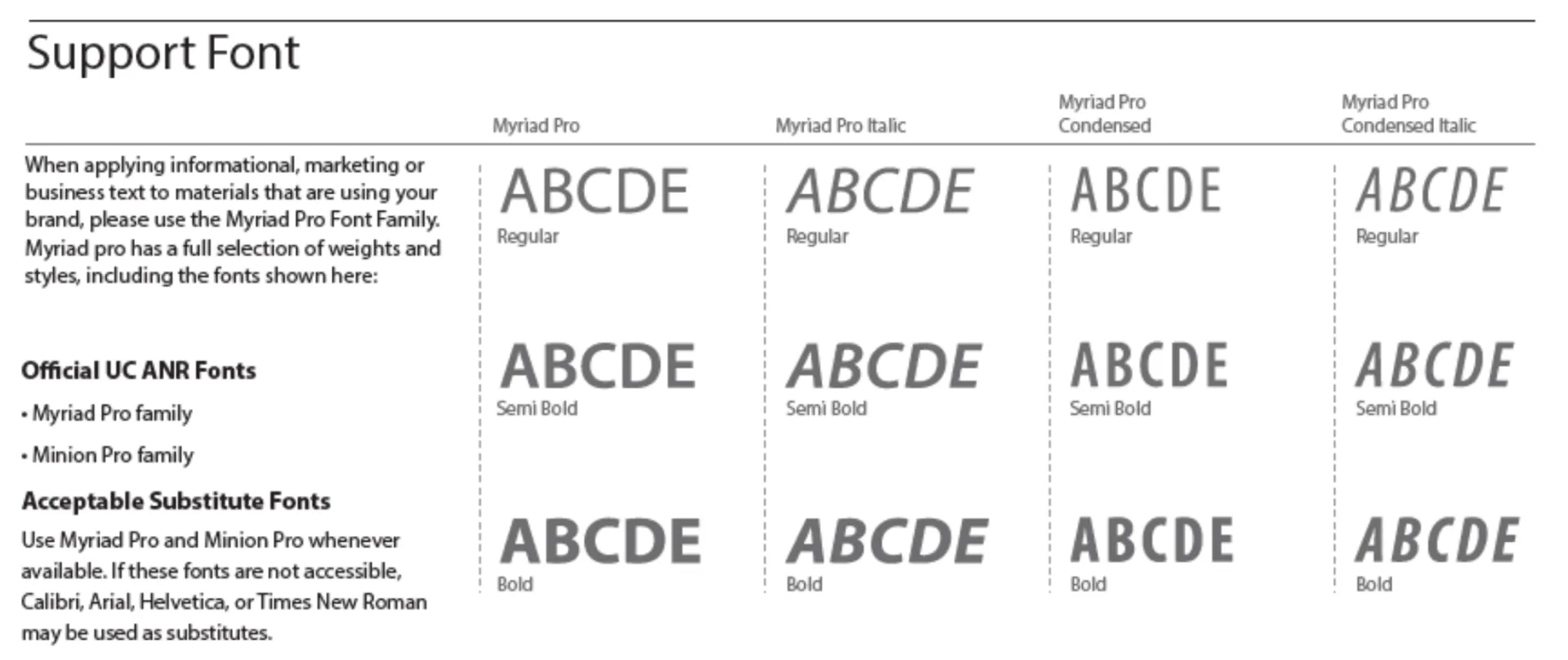
The font families associated with the UC ANR Communication Toolkit, are Minion Pro (serif) and Myriad Pro (sans serif). We recognize that not everyone will have access to these font families. Acceptable substitutes are Times New Roman (serif) in place of Minion Pro and Arial or Helvetica (sans serif) in place of Myriad Pro.
Color Palette
The primary color palette should be used for prominent type or graphics.
The secondary accent palette colors can be used to complement the original colors or used on their own, for instance, with the logotype reversed out. They can also be used to create tints.
What do the numbers on the color palette mean?
Colors are specified using numbers. We use three different color systems to define our colors.
CMYK: Commercial printers and some desktop printers express colors as a mix of four inks, cyan, magenta, yellow, and black (CMYK). Use CMYK colors when creating printed projects.
RGB: Computer screens express colors as a mix of red, green, and blue (RGB). RGB is commonly used to set up UC ANR colors in Microsoft Word, Excel, and PowerPoint.
HEX: Commonly used to specify colors on websites
| Palette | Color | Swatch | Color Values |
|---|---|---|---|
| Primary Palette | |||
| UC ANR Blue | UC ANR Blue |

| C 100 M66 Y0 K0 RGB 0 95 174 HEX 005FAE |
| UC ANR Gold | UC ANR Gold |

| C0 M27 Y100 K0 RGB 254 189 16 HEX FeBe10 |
| UC ANR Cyan | UC ANR Cyan |

| C100 M31 Y0 K0 RGB 0 136 206 HEX 0088CE |
| UC ANR Gray | UC ANR Gray |

| C0 M0 Y0 K70 RGB 109 109 113 HEX 6D6F71 |
| Accent Palette | |||
| Burnt Orange | Burnt Orange |

| C0 M70 Y85 K2 RGB 237 109 56 HEX ED6D38 |
| Orange | Orange |

| C0 M50 Y100 K8 RGB 228 137 27 HEX E4891B |
| Gold | Gold |

| C10 M43 Y95 K0 RGB 227 155 46 HEX E39B2E |
| Red | Red |

| C10 M95 Y95 K10 RGB 199 45 39 HEX C72D27 |
| Brown | Brown |

| C32 M56 Y100 K17 RGB 156 107 40 HEX 9C6B28 |
| Light Green | Light Green |

| C59 M17 Y100 K6 RGB 115 158 61 HEX 739E3D |
| Dark Green | Dark Green |

| C59 M13 Y100 K40 RGB 76 117 41 HEX 4C7529 |
| Sky Blue | Sky Blue |

| C85 M24 Y0 K0 RGB 0 150 214 HEX 0096D6 |