How to Make ANR Maps *without* GIS!
Webinar: Tuesday November 18. 1:00 - 1:50 pm PT
Overview
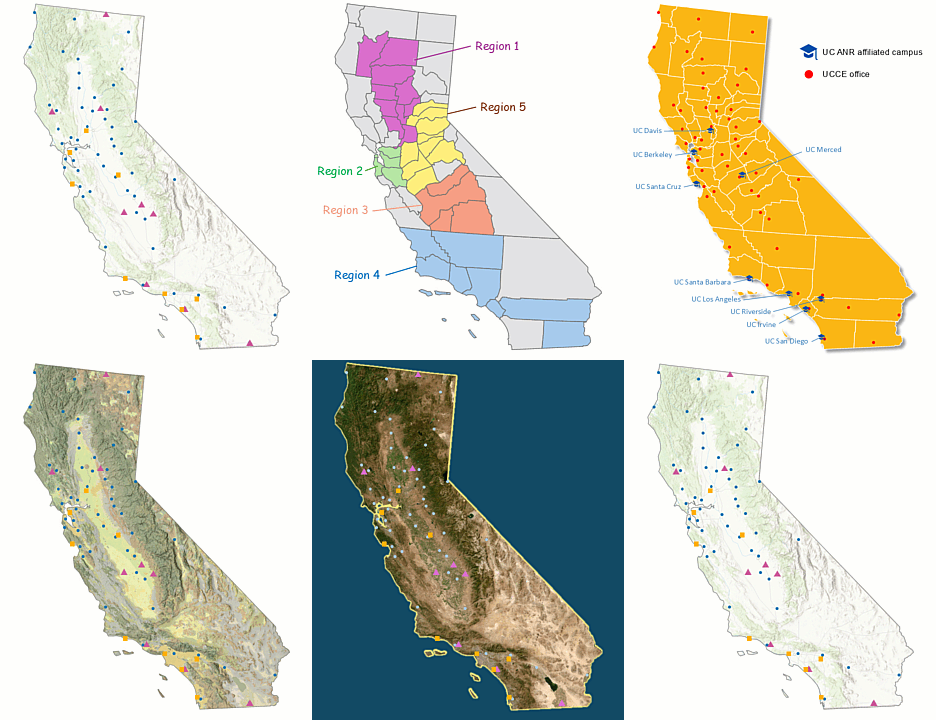
Maps of the ANR network are all over the place - in presentations, extension materials, reports, websites, etc. Maps are a particularly effective way to visualize the ANR network, which is broad both geographically and programmatically.
Simple reference maps are a breeze to make with GIS software. But what if you're not into GIS?
This special webinar is being held during UC GIS Week and will introduce two new tools developed by IGIS that you can use to make basic maps of the ANR network, without a single piece of GIS software!
Tool #1: ANR Map Clipart Pack. The first tool is a set of beautifully designed map clipart images that are ready to go in your next presentation or handout. The maps show various slices of ANR, including the RECs, UCCE offices, and campuses, with and without labels, legends, etc. We'll show you how to access the clipart, select images for your specific use case, and insert them into your document.
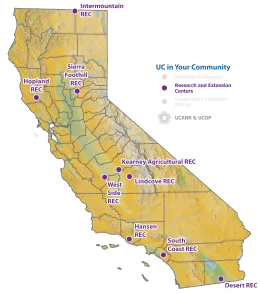
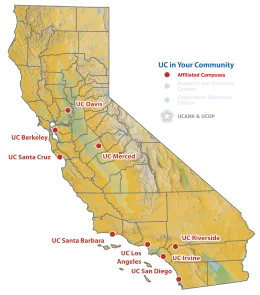

Tool #2. Build Your Own ANR Map in PowerPoint. The second tool is a PowerPoint template that has ANR map elements that you can copy-paste together to build your own map. If you need more customization but don't want to learn GIS, this is the tool for you. Because all the layers are native PowerPoint shapes, you can customize your map using PowerPoint's familiar formatting and drawing tools to modify the appearance of individual shapes, add labels and call outs, etc. And because PowerPoint shapes are vector, these maps print well also. More info.
Presenters
- Shane Feirer, GIS Service Center Manager, IGIS
- Andy Lyons, Program Coordinator, IGIS
Resources